



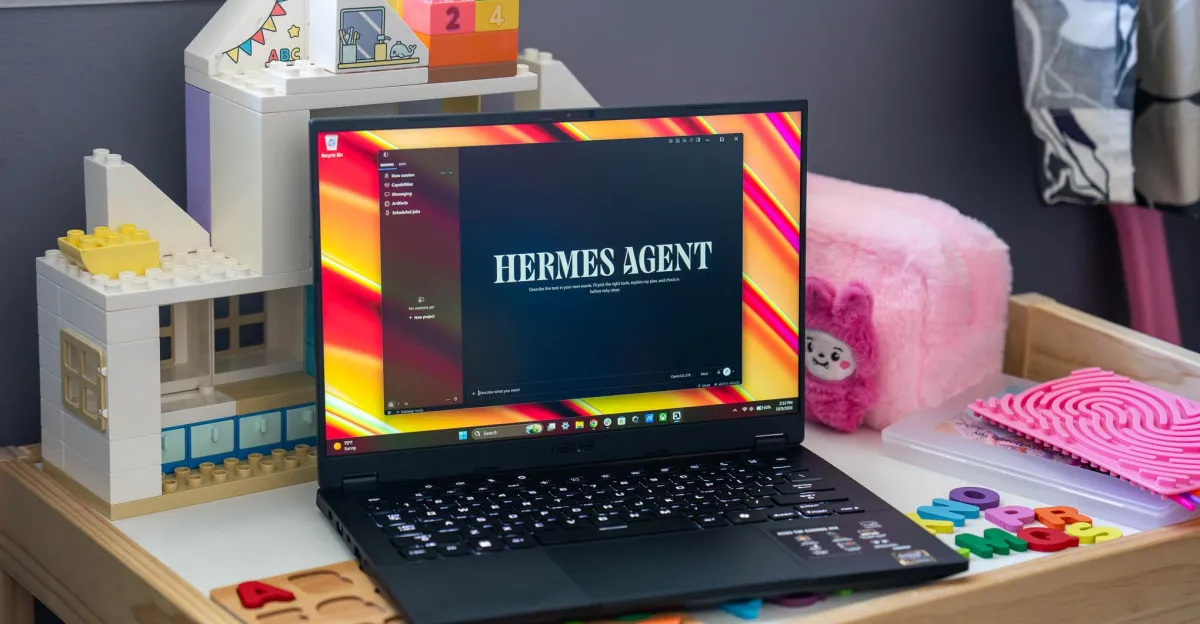
I’m embarking on a journey I’ve so far been hesitant to go on: actually using AI on the regular. Giving my most personal data to cloud services has been a major hold up for me, but it’s increasingly possible to run powerful models locally to see what they’re capable of. Is this tech so useful that it’s worth throwing gobs of money at a computer or a laptop with lots of overpriced RAM? I’ll try to help you find out. I’m not an AI expert, it’s going to be a journey for me, but maybe I can help you see if that journey is worth taking — and I’ll be posting my way through it.
A big part of Apple’s pitch for its new Mac desktops is how good they are for local AI, and there’s an entire line of new RTX Spark Windows machines landing imminently with up to 128GB of RAM aimed at using agentic AI. Local AI and agents are just, like, so hot right now. But, in all seriousness, the thought of having a little gofer living solely in the box on my desk that answers only to me and not overlords from OpenAI, Google, Microsoft, or Anthropic hits a bit different than trusting cloud services or subscribing to a chatbot. Don’t get me wrong, there’s still no way I’m gonna have it write for me, edit for me, or generate ugly fliers. But now, with some privacy on my side maybe I can finally think of useful busy work to “trust” it with.
So as part of my ongoing testing of the M5 Ultra Mac Studio, as well as experimenting on other Mac and Windows systems, I’ve installed some local LLMs and I’m beginning to tinker. Here’s how things are going.
1/4
I started by installing the open-source Hermes Agent on the Mac Studio. Hermes is a self-hosted AI agent desktop app that works on macOS, Windows, and Linux. It’s completely free to use if you stick to local LLMs. Since this M5 Ultra Mac Studio has 256GB of unified memory, I could run just about any model I want. This is how things quickly get overwhelming. There are more models out there than I can count, and some have specialized uses. Generally, models with many billions of parameters are able to do more than smaller ones with only a few billion. And since we don’t have to worry about paying for tokens when running a model locally, I figured I’d go big to start.
Using Hermes’ straightforward onboarding interface and model picker, I chose the Qwen 3.8 Flash Next model — a 125-billion parameter model that’s around 105GB in size. I also plan on spending some time with much smaller Qwen models on devices like an M6 Mac Mini, M5 MacBook Air, an Asus TUF Gaming A14 with AMD Strix Halo processor, and, eventually, RTX Spark. (Care to share what local models and hardware you use? You know where to leave your comments. 🫡)
It wasn’t long to get up and running with Hermes and Qwen, and even make them controllable via my phone by using a Telegram bot. But then, I was presented with my usual nemesis when it comes to using AI: the text box.
“What do I do with this thing?”

First up, to get things going, I followed some helpful YouTube advice and had Hermes make me a daily morning briefing — to just start small with a cron job and ensure things are working. It scans my email and calendar, tells me anything worth my immediate attention, and gives me a short weather report. It’s not all that useful, and you obviously don’t need a $12,000 computer to build it, but it’s something I can develop over time. The brief kept failing to generate at first, but then I eventually figured out that macOS couldn’t be asleep when the job fired up at 7:30am. Duh! It works like clockwork now, but I have to think of more info for it to pull for me to make the results more helpful.
A more useful task was reorganizing my Steam library. I have over 400 games on Steam, and I recently started categorizing them for when I want to play something new on a whim. Steam doesn’t categorize your games for you, so you instead have to do it manually, one-by-one. But here’s where an agentic lackey could fit right in. I asked, “Can you reorganize my Steam library?” Hermes could see most of my games by just viewing the already installed Steam client. It quickly came up with some organization options for me. I decided to have it organize my games by genre, but leave some of my own specialized categories(favorites, co-op titles, party games, games to play with my wife, etc.).
You have to give a local AI some permissions over your machine for it to take actions for you, and in the case of my game library I had to register a Steam web API key and give it to Hermes. Once it had that access, it only took a few minutes for it to churn through sorting all the games into categories. And the API key was easy to revoke right after, since I don’t need it further. The idea is for it to just do this heavy lifting for me once, and then I’ll file new games into the categories as I eventually buy them. It did a fine job overall, and now my Steam library is easily browsable.


1/2
Another simple thing I did was data analysis. I had Hermes take a look at financial records to crunch some numbers for me, and I also had it make me a spec comparison spreadsheet for a new laptop. These are small things, but they’re both tasks I cannot or will not trust with any cloud service — I don’t want to upload that sensitive data to the cloud, and in the case of a new laptop, that info was under embargo. Keeping them on my computer was the difference in me using this tool or not.
The bigger bit of automation I’m currently working on is a script to run a series of laptop benchmark tests. I run all our benchmarks manually, and tending to a laptop to run a dozen or so tests — three times over, to take the average — is incredibly time-consuming. I’d love to automate at least some of it. Even walking Hermes through all of the required procedures and getting it to spit out vibe coded Python scripts has been a bit of an endeavor, and it remains a work in progress. But I’m hoping to make some positive headway.

It’s still early days of me working with Hermes, and I’m hoping this is just the tip of the iceberg on the useful things I get it to do for me. But it’s also clear that even these powerful local models don’t make for a magical assistant that can do anything. Things still don’t always work as intended — my daily briefing already broke, multiple times.
I view Hermes and local AI as just a tool, a computer program to run on my computer. I don’t want a digital friend. I’m not saying “thank you” or “please,” or typing “sorry” when I change my mind on something. I’m remaining as stone-cold and indifferent when ordering it around as I am clicking a mouse around an operating system.
I hope to remain vigilant and cautious while I continue testing and learning with local AI. Let’s see where it takes me.